AYON 1.16.11 - CSV Import Updates & List Columns
Update existing folders and tasks from a CSV, see which lists and review sessions an item is in, and 19 bug fixes.
📥 CSV Import Updates
Bring client and editorial spreadsheets into AYON, even when they only have names.
Update only: Change existing folders and tasks by name without creating anything new.
Comments: Import comments with their categories straight into the activity feed.
Lists from CSV: Create a new list, or fill an existing one, from a sheet of shot names.
🧩 Lists & Review Sessions Columns
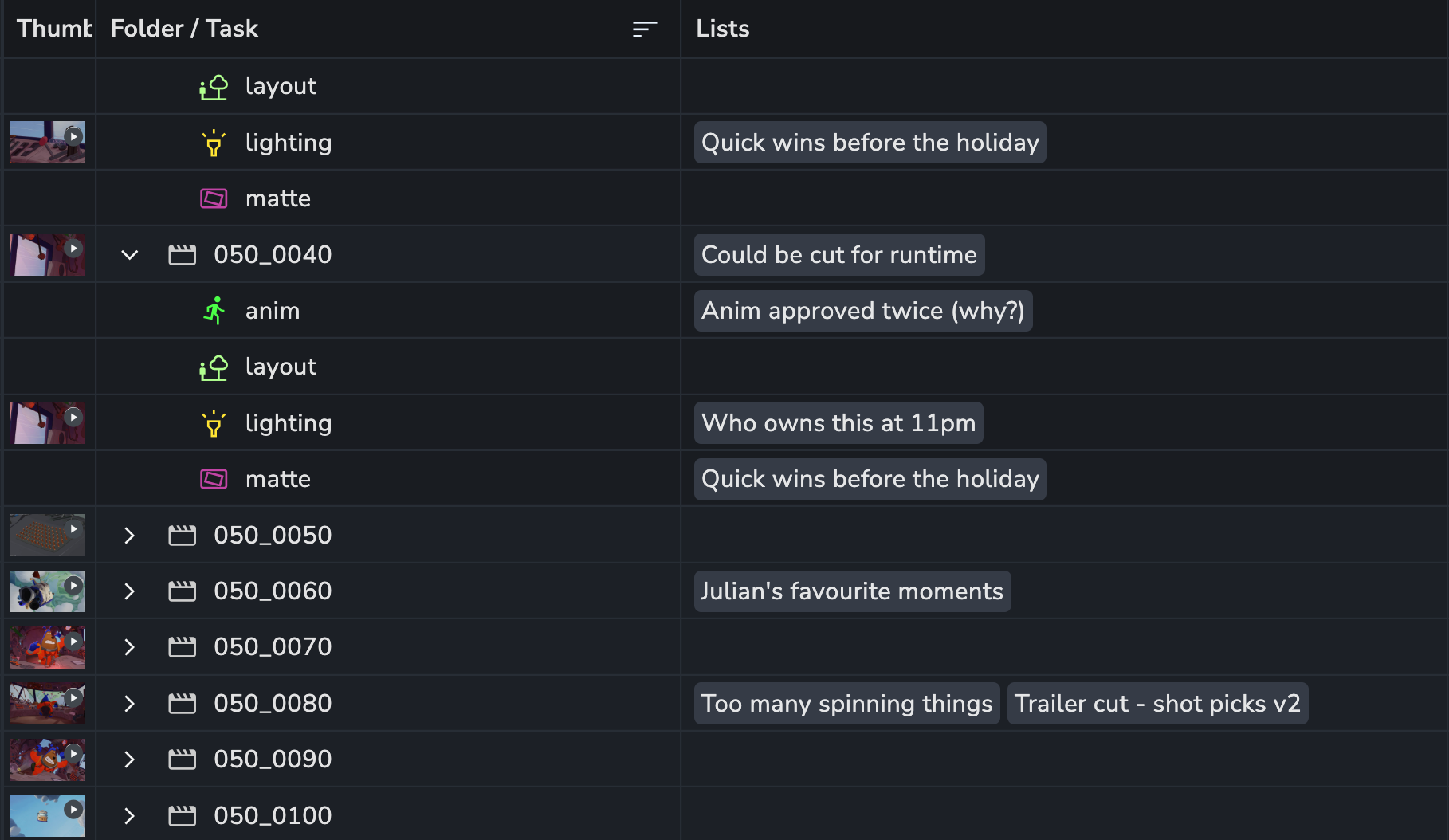
See which lists and review sessions an item already belongs to, right from the table.
Lists column: Shows the lists each folder, task or version is in.
Review sessions column: Shows which review sessions a version is part of.
Jump straight there: Click a list to open it with the item already selected.
🔎 Filter by Representation
Filter products and versions by their representations from the Products page filter bar.
File extension: Show only versions that have an .exr, .mov or any other file type.
Status and tags: Narrow versions down by the state of their files.
🎉 New Features
CSV import: Update only, entity type, comments, list items and dates #2445 #1182
Tables: Lists and Review sessions columns show which lists an item is in #2438 #1179
❤️ Improvements
Products: Filter products and versions by representation #2381 #1190
Slicer: Sort options for every slice type #2511
Lists: Links to list items open the list with those items selected #2478
Services: Environment and ports are filled in from the addon's service definition #2395
🛠️ Bugfixes
Search: Several terms match any of them in list items and dashboard tasks #2488
Search: Several terms work in the subtasks search #2490
Search: Several terms work in the folder picker #2491
Tables: Multi-select fields save properly #2473
Tables: The context menu closes when you click outside it #2474
Slicer: The status slice shows statuses after a page reload #2513
Viewer: Up and down keys keep working after commenting #2480
Breadcrumbs: Go to URI opens the pasted settings or entity path #2471
Delete: Force deleting asks you to type "force delete" #2484
Subtasks: No Planner upsell while the Planner module loads #2497
Market: Studio-only addons are shown as Studio only #2481
Projects: Clearer error messages when creating a new project #2499
Profile: The complete profile prompt accepts a full name or an email #2504
Settings: The chosen variant is kept when you come back #2495
Settings: New list items get focus, and Shift+Enter adds the next one #2485
Permissions: Paste copied settings in the access group editor #2496
Teams: Members who are not users of the project are shown #2483
Attributes: Calculated attributes stay writable when attribute updates are restricted #1205
Auth: API keys and session tokens are kept apart, so long service keys work with ayon_api #1200
📚 Resources
Note: Ynput cloud hosted instances have automatic, scheduled updates. Self-hosted servers require you to update yourself How to Update Your AYON Server.