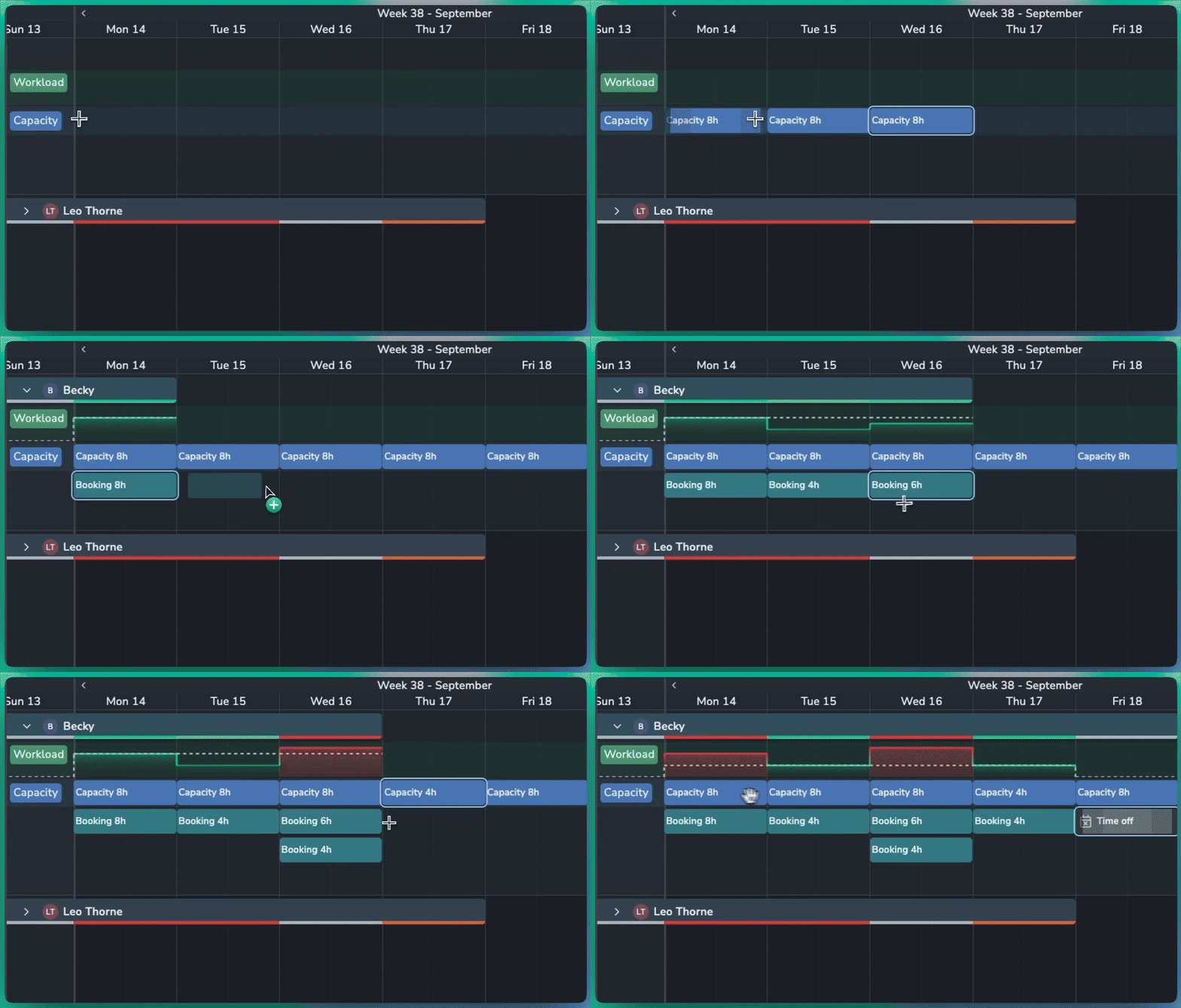
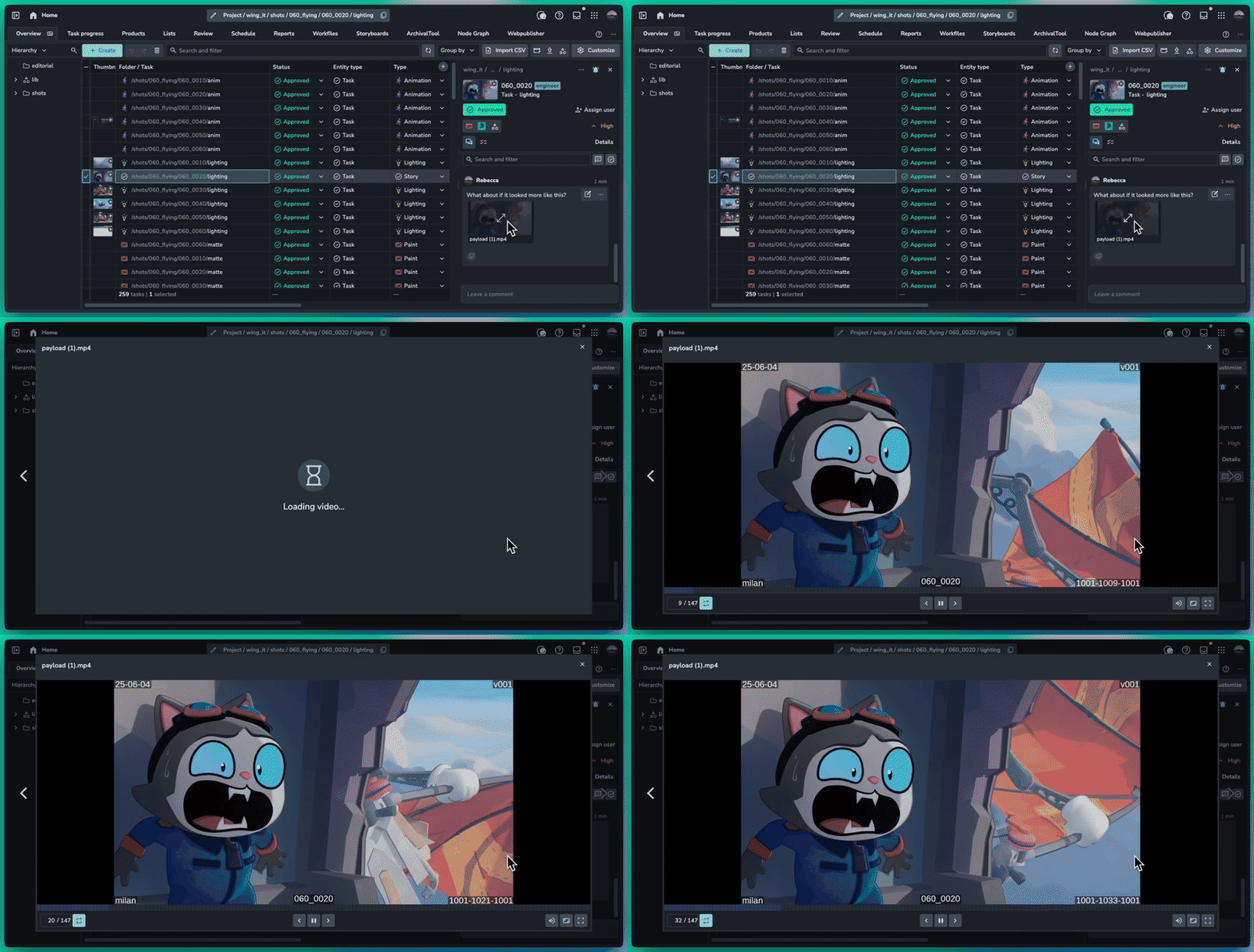
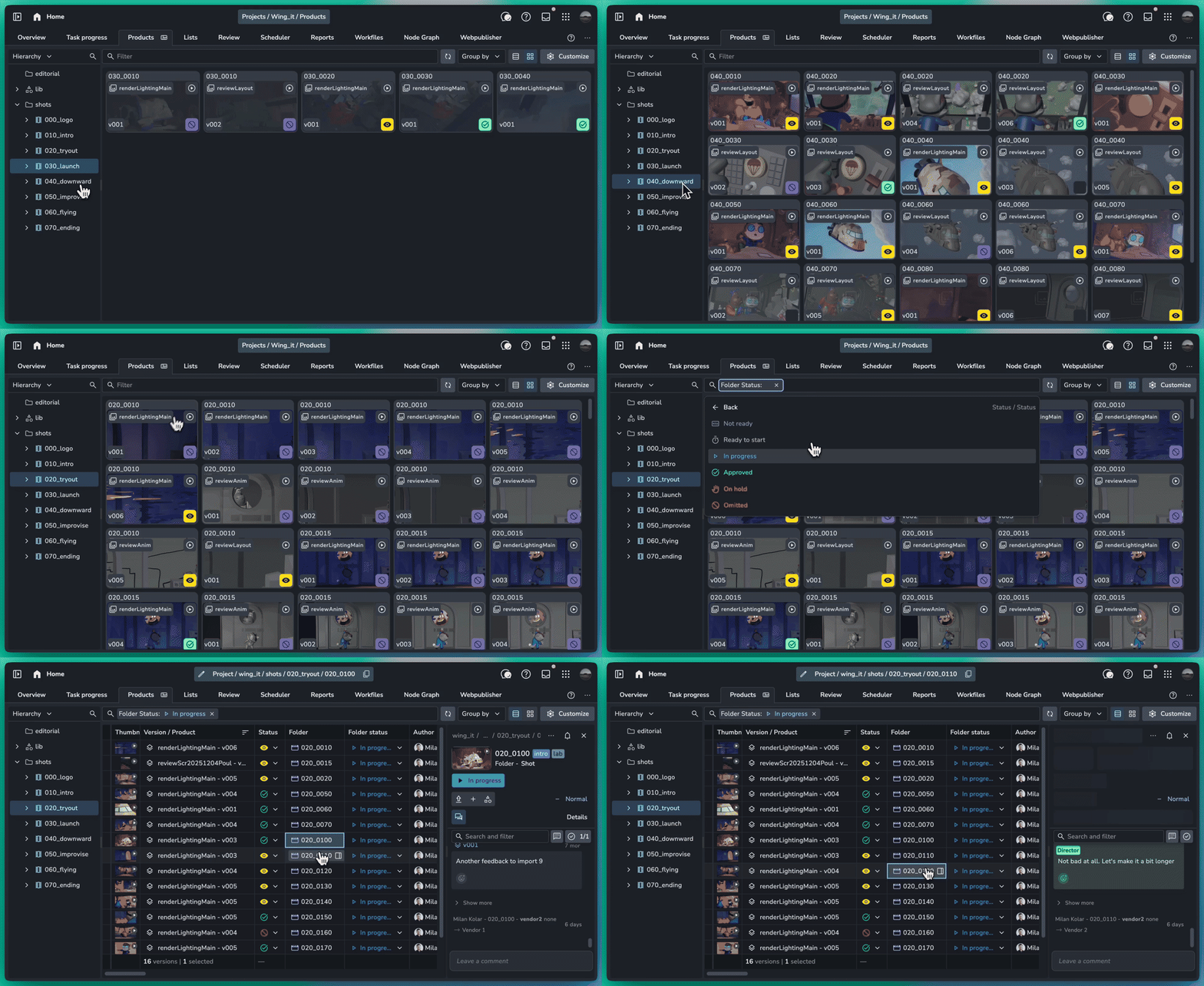
May 4th, 2026
Server

This release is packed with a massive amount of new features and an equally impressive list of bug fixes to make your production tracking smoother than ever.

Skip the manual setup with our flexible new importer. Whether youโre building project hierarchies, populating lists, or onboarding your entire team, getting data into AYON has never been easier.
Smart Mapping: Effortlessly match spreadsheet columns to AYON fields.
Paste from Clipboard: No file neededโsimply copy rows from Excel or Google Sheets and paste them directly into the browser.
Presets: Save your configurations as Presets to automate future migrations.

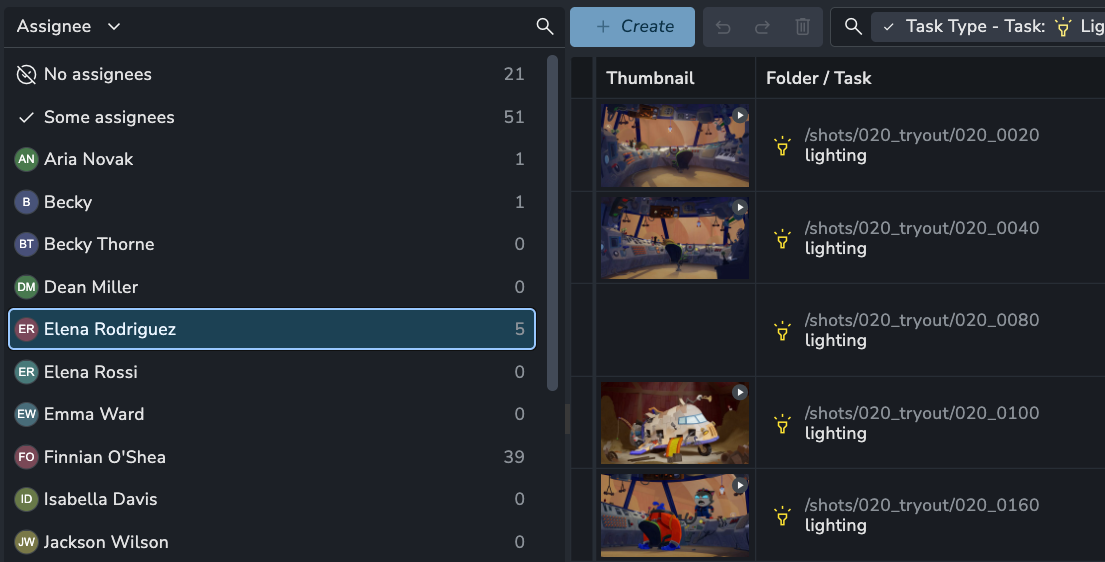
Custom Lists are now integrated directly into the Slicer panel.
Quick Filtering: Instantly isolate table items based on specific list memberships.
Cross-Context View: See exactly how your curated lists relate to the broader project production state.
We have overhauled the grouping logic on the Products and Overview pages to provide a more intuitive and flexible experience.
Grouping by folder: You can now group tasks by folder, making it easy to create shot or asset list views.

You can now mention an entire Team in the Activity Feed.
Mention a team (e.g., @Lighting or @Compositors) to automatically notify all its members in their Inbox.

Sort "Copy Settings from" addon version lists by semver #1905
Kanban: Add group by Parent Folder #1919
Filters: Allow filtering by date range on products page #1920
Attributes: Redesign with user friendly types #1936
Workfiles: Show createdBy and updatedBy users for a workfile #1949
Deleting Entities: Improve message of what will be deleted #1922
Search for multiple folders at the same time #1932
Optimized reviewable thumbnail creation and pre-caching #908
Overview: Tasks "Folder name" column is empty when grouping tasks #1903
Attributes: Delete attribute at top of page does nothing #1904
fix: reviewable files with incorrect unsupported characters failing #1908
Comments: Properly fix and style empty lines #1911
Settings: Fix checking "enabled" expanding collapsed sections #1929
Settings: Fix textarea widget enter misbehaving #1928
Grouping: Overview view switch preserves old grouping fix #1934
Subtasks: Ensure users have proper access to assignees dropdown options #1952
Overview: Group by folder and hierarchy broken #1946
Views: Changing view permissions does not move view to correct section #1955
Products: Product base type filter #1939
List: Fix missing version attributes in the table view #1957
Fixed background process event sender property #899
Fixed addon loading isolation #900
Fixed EntityList transaction management #904
Fix user enum access #912
BaseTypes: Filter and grouping #922
Note: Ynput cloud hosted instances have automatic, scheduled updates. Self-hosted servers require you to update yourself How to Update Your AYON Server.
April 13th, 2026
Addon
Production Tracking
This update focuses on refining the stability of Review Sessions for smoother collaboration and more reliable playback. We recommend updating now to benefit from these immediate improvements. We are already targeting deeper de-syncing fixes for our next release.
Enhanced UI Locking: Allow users to configure the UI view, including going full screen, whilst another user presents.
Controlled Session Management: Playlist and playback controls are now disabled for synced participants to prevent session interference.
Reviewables Comparison: Fix an issue that prevent comparison across reviewables of the same version.
Reliable Media Loading: Improved caching to ensure the correct file ID is always prioritized.
Version Updates: Fixed clips not updating correctly when a version was replaced in the timeline.
Data Consistency: Resolved issues where the Details Panel could show outdated metadata.
HTTP Compatibility: Fixed a crash occurring when accessing Review via standard HTTP.
Comparison Sync: Fixed two issues causing visual desync during version comparisons.
Performance: Optimized entity handling for faster and more stable AYON Actions.
UI Polish: * Prevented presenter name wrapping.
Standardized sync-block styling in the Clip List.
Fixed z-index issues with the Sync controls dropdown.
Corrected Playlist thumbnail aspect ratios and tiling.
Improved frame scaling across different window sizes.
Review is a premium addon included with the Studio subscription, or as an extra with a Pro subscription.
April 10th, 2026
Addon
Lists: Duplicate custom list attributes
Minor fixes and improvements to the grouping settings
April 9th, 2026
Server
Bugfix release
Side Panel: Details tab would cause error #1898
Note: Ynput cloud hosted instances have automatic, scheduled updates. Self-hosted servers require you to update yourself How to Update Your AYON Server
March 29th, 2026
Server
Production Tracking

This update brings significant improvements to how you manage entity relationships, upload new work, and interact with data in the table view.
Weโve overhauled the manual version upload process from the Project Overview Page to prevent accidental duplicates and streamline your workflow.
Existing Product Matching: When you type a product name, AYON now checks for existing matches in that folder.
Auto-Versioning: If a match is found, the system automatically sets your upload to the next available version (e.g., v004 if v003 exists) and syncs the product type for you.
Product Picker: A new "inventory" icon next to the name input allows you to browse and select from existing products directly within the upload dialog.
Managing repetitive relationships is now much cleaner with the redesigned Links Manager. Instead of seeing multiple identical entries, duplicate links to the same entity are now automatically grouped.
Count Badges: Grouped links now display a clear badge (e.g., x5) in both the Links Manager dialog and table cells.
Inline Editing: Need to change the number of links? Click the badge to open an inline input. Increasing or decreasing the number will automatically create or remove links in the background.

The inline table text editing to make it easier to write longer and more descriptive brief.

Products: Add product base type column to Products page #1873
Entity Picker: Preserve child selection state when switching parent nodes #1881
Description: Improved string fields in the table #1566
Guests: Fix guests not being able to comment in review sessions #889
Details: JSON viewer displays incorrect text selection #1870
Lists: Fix folder row IDs leaking into list selection lookup #1875
Comments: Adding over 6 attachments causes formatting issues #1878
Filters: Remove confusing radio button icons for boolean filters #1894
Table: Fix sorting column showing on pinned columns #1896
Note: Ynput cloud hosted instances have automatic, scheduled updates. Self-hosted servers require you to update yourself How to Update Your AYON Server
March 24th, 2026
Addon
Production Tracking

Creative reviews just got a lot more powerful and organized. This update focuses on giving you total control over your review sessions with a brand-new Playlist panel, a highly visual grid view, and the ability to compare your work against anything in your project.
The new Playlist panel replaces the old "Clips View," allowing you to manage your entire session directly within the player.
Custom Sections: Create any number of collapsible sections to organize your work. Use them to separate Shots vs. Assets, group by Sequence, or categorize by Priority (e.g., "Final Polish" vs. "Needs Fixes").
Dynamic Grouping: Instantly group clips by Status or Task. You can even drag a clip into a different status group to update the version's status in real-time.
Live Editing: Add, remove, or replace clips on the fly. Swap versions or pick a completely different product to insert into the session without leaving the interface.
Reordering: Simply click and drag thumbnails to change your review sequence instantly.
The Review tab on the AYON server has been redesigned for a more visual experience. The new Grid View makes it much easier to browse your review sessions at a glance.

The comparison tool is no longer limited to previous versions of the same product. You can now compare your current clip against any version, product, or folder in the system.
Cross-Department Checks: Compare your lighting render directly against the layout or animation paths to ensure everything lines up.
Sequence Continuity: Load a completely different shot to check that lighting and color match perfectly between cuts.

Playback Speed: You can now set and sync video playback speed (from 0.25x up to 2x) for all participants.
Actions Menu: Trigger external AYON Actions directly from within the review session.
Timeline Fixes: The timeline now scrolls with the playhead during playback and properly aligns when reviewing images or very short clips.
Refined Shortcuts: Pressing I or O now updates the point to your current frame instead of toggling it off. Use [ and ] for annotation brush sizes, and , or . to toggle your side panels.
Review is a premium addon included with the Studio subscription, or as an extra with a Pro subscription.
March 18th, 2026
Addon
This update addresses critical functional issues; we strongly recommend updating to the latest version.
Fixes many issues that would causes the graphs to not render in the editor mode.
Ensure graphs render when there are no groups to filter by.
Some field attributes didnโt load the groups properly.
Snapshot graphs were missing include segment options.
Time Series graphs now allow the ability to hide โUnknownโ values.
Review is a premium addon included with the Studio subscription, or as an extra with a Pro subscription.
March 10th, 2026
Server
Details Dialog: JSON syntax highlighting and Copy to Clipboard #1798
Review: Move "Open Review session" button to the left side of the toolbar #1860
Use studio logo in emails #868
Kanban: Open in Browser to Open in Overview #1850
Bundles: Show warning there is a higher version of an addon when editing bundle #1851
Note: Ynput cloud hosted instances have automatic, scheduled updates. Self-hosted servers require you to update yourself How to Update Your AYON Server
March 5th, 2026
Server
Comments: Admins can now delete other users comments #1833
Kanban: Regular users can now see other users tasks if they have full project permissions. #1832
Views: Pinned columns are lost sometimes #1836
Products: Double clicking on grid version card does not open panel #1839
Version Upload: Product types not showing for users #1840
Descriptions: Support multiple line breaks #1843
Reviewable: Fix loading and scrolling issues for images in reviewables #1848
Users: Fix batch deleting many users dialog styling #1846
Player: Switching versions in the player is very buggy #1845
Note: Ynput cloud hosted instances have automatic, scheduled updates. Self-hosted servers require you to update yourself How to Update Your AYON Server
February 27th, 2026
Addon
Production Tracking
Reviewables Scrolling: Weโve fixed a layout issue where a large number of reviewable items would overflow the panel without a scrollbar. You can now easily scroll through and access every reviewable along with keyboard support.
Faster, More Reliable Image Loading: Cloud-hosted instances now benefit from an improved image loading strategy. Weโve resolved a bug that occasionally caused a black screen when viewing reviewables and added a loading indicator to provide clear feedback while your media is being prepared for playback.
Review is a premium addon included with the Studio subscription, or as an extra with a Pro subscription.