AYON 1.16.8 - Enhanced Comments and Descriptions
A brand new editor for comments and descriptions, new ways to reuse comments, and a handful of fixes.
✍️ New Comment Editor
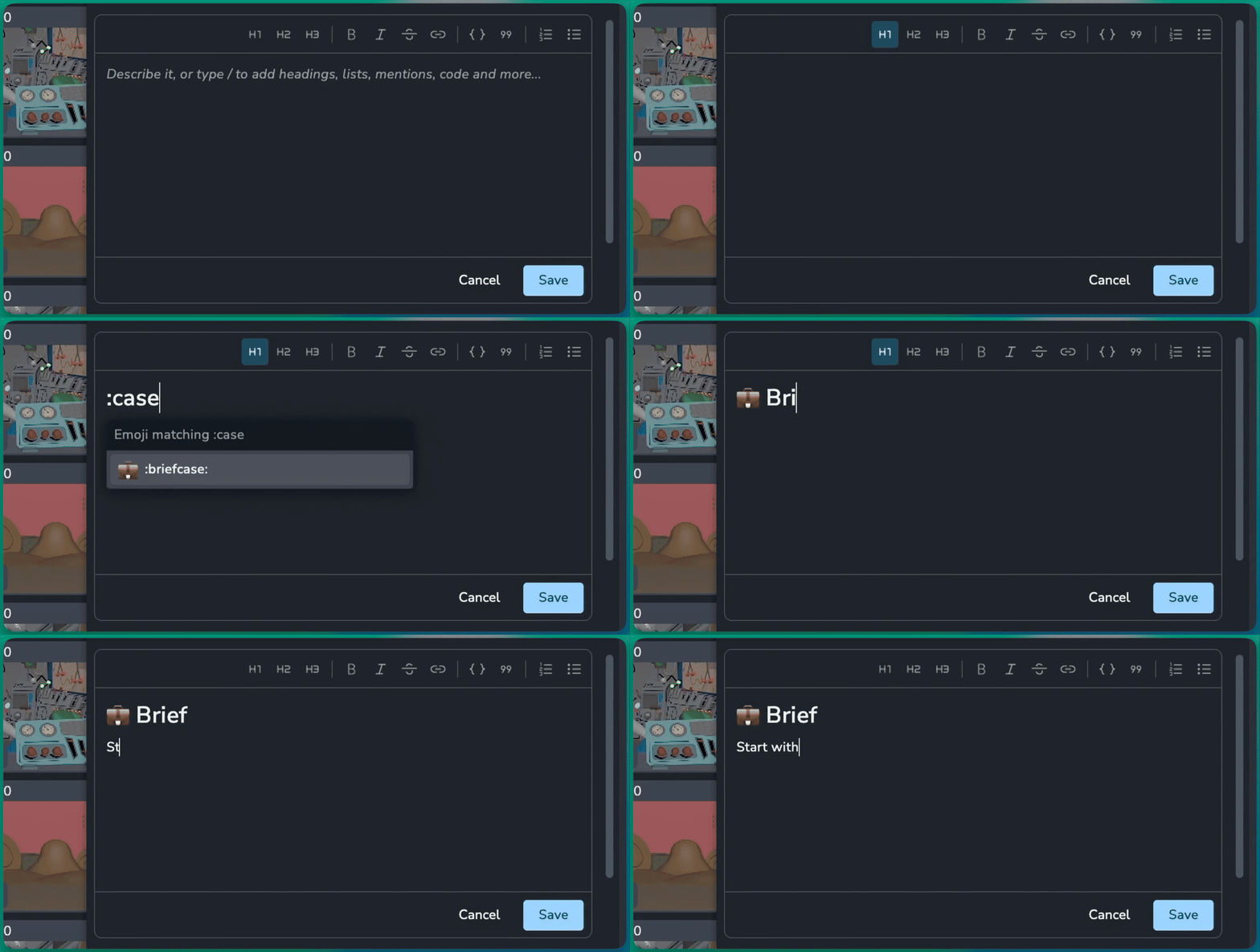
Comments, descriptions and text cells now share one new editor that is quicker to write in and stores plain markdown. For example:
Slash menu: Type
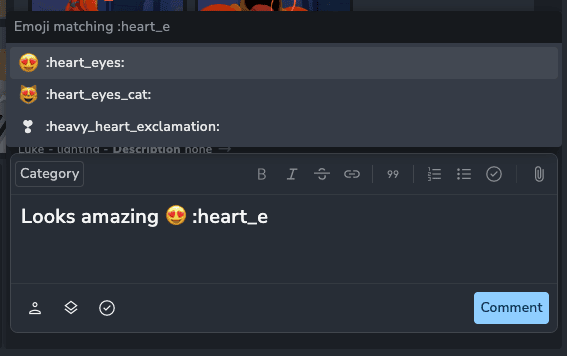
/to add headings, lists, checklists, quotes, code blocks, images, videos and mentions.Emoji: Type
:tada:and pick from your most used emoji.Embeds: Put a YouTube link on its own line and it becomes a player in the comment.
Descriptions: Mention users, tasks and versions in a description, the same as in comments.
🎞️ Link Comments to Frames
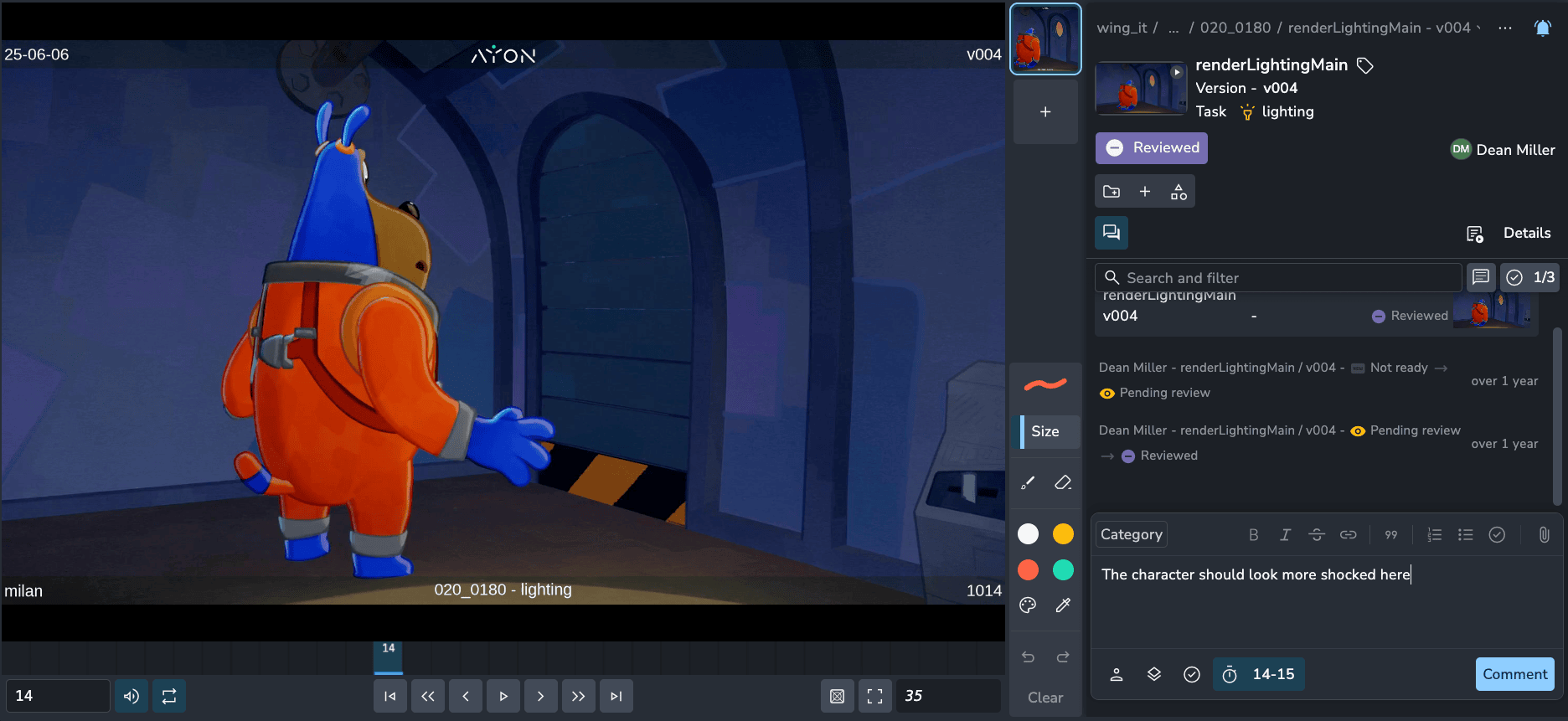
In a review, a new frame button in the comment editor ties your comment to the exact frame it is about. For example:
Single frame: Click the button to link the comment to the current frame.
Range: Stretch the marker to link a range of frames instead. Clicking the button again removes the link.
Jump to it: A posted comment shows a frame chip. Clicking it jumps the player to that frame, and sets the in and out points for a range.
📋 Duplicate Comments
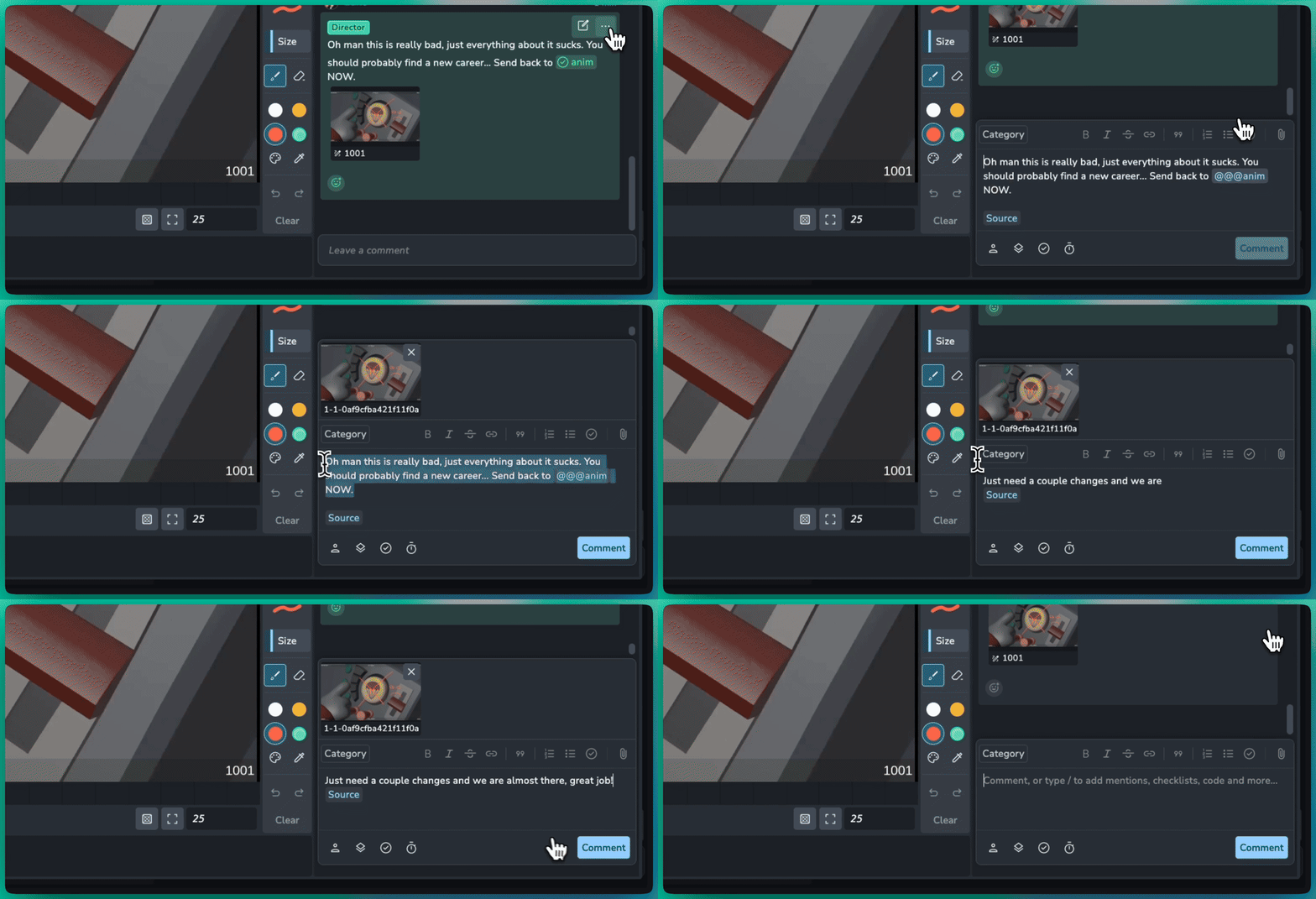
Pick Duplicate to new comment from the comment menu to copy a comment into your own comment box, ready to adapt and post. For example:
Client feedback to artist notes: Copy a client's comment, reword it, choose a category and post it for the artist.
Attachments come along: Images, attachments and annotations are copied, and the original comment is never changed.
No names passed on: The author's name is left out, and an "Original comment" link points back to the source instead.
🎉 New Features
Comment editor: Link comments to frames #2370
Comments: Duplicate to new comment #2376
Comments: Copy a comment's text and link to comments, shown as chips #2376
❤️ Improvements
Editor: New markdown editor for comments, descriptions and text cells #2364
Comments: Admins can edit anyone's comment #2376
Slicer: Search with pasted lists of names #2425
Thumbnails: Folders and tasks now show the thumbnail of their latest version #1144
Settings: Migrate the settings of a single addon between two versions #1097
🛠️ Bugfixes
Table: Editing a cell with several selected now applies to all of them for text, number, date and boolean columns #2369
Delete: Restore the force delete dialog for folders with children #2377
Assignees: Use the users enum source for assignee options #2390
Settings: Restore error details when saving addon settings fails #2428
Settings: Support conditional enums on multiselect fields #2430
Tables: Rows with empty sort values are no longer skipped when paging #1142
Tables: Fix sorting by numeric attributes #1175
Tasks and folders: Fix createdBy issues #1147
📚 Resources
Note: Ynput cloud hosted instances have automatic, scheduled updates. Self-hosted servers require you to update yourself How to Update Your AYON Server.